Built for busy, walk-in businesses

One AI assistant for customers, staff, and operations.

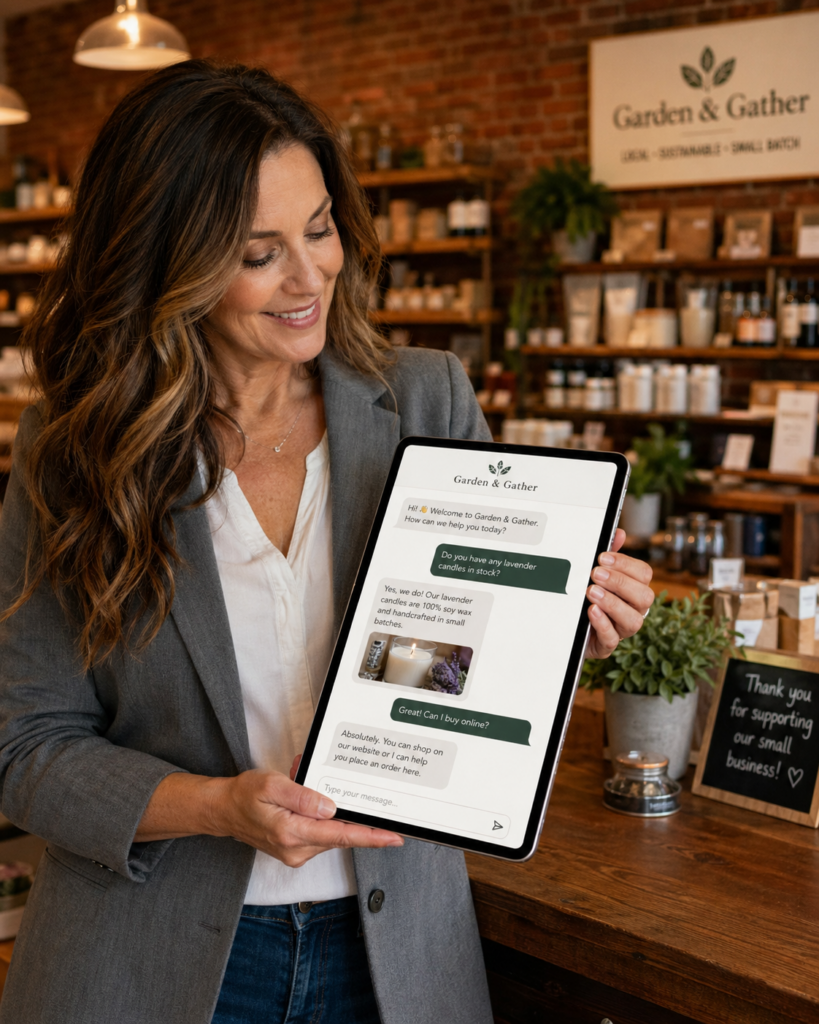
Quantum Leaps AI builds tailored assistants for garden centers, produce markets/delis, hardware/home stores, and local retail/service. It handles repeat questions, guides product choices, captures clean requests, and supports staff training—via QR codes in-store and a website widget. This is not a generic chatbot—it’s a custom build plus workflow wiring.

  • Fewer repeat questions at the counter and on the phone
  • Faster seasonal ramp-up with instant staff guidance
  • Cleaner installs/delivery requests captured with the right details
  • Fewer missed leads with routing to the right inbox/person
Open the Live Demo Get Started

No signup. Just click and try the assistant.

Garden center staff helping customers among plants and flowers
What it does

What your assistant handles (day one)

It becomes your “first line of help” — everywhere

Peak season is brutal: phones ring, lines build, and your best staff gets trapped answering the same questions. This assistant absorbs the repeat load so customers get answers fast and your team stays on the floor.

It’s built around your departments, your policies, and your real customer wording—so it feels like part of the business (not a generic chat bubble). The result: smoother customer flow, faster staff ramp-up, and cleaner requests.

  • Customers: hours, directions, promos, “do you have…?”, “where is…?”, recommendations
  • Plant care: sun/shade, watering, timing, companion plants, low-maintenance picks
  • Requests: delivery, installs, design consults, special orders, bulk requests
  • Staff: policies, checklists, “how do I…?” answers, consistent messaging
  • Owners: cleaner requests + optional summaries of top questions and demand
Customer scanning a QR code in a garden center and viewing an AI assistant on their phone

For customers

  • Hours, directions, specials, policies
  • Guided recommendations (“best for partial shade?”)
  • Department help (“where is mulch?”)

For staff

  • Instant training: policies + checklists
  • “How do I…?” answers between customers
  • Fewer manager interruptions

For requests

  • Installs/design consult forms
  • Delivery/special order capture
  • Routing to the right inbox
How it works

How it works in 3 steps

Fast setup, minimal lift from your team, and ongoing tuning based on real usage.

1
Walkthrough + discovery We review your top questions, policies, departments, and busy-season pain points. If you already have a website, signage, vendor sheets, or training docs, we use those as a starting point.
2
Build customer + staff flows We create customer flows (FAQs, guidance, recommendations, requests) and staff flows (policies, checklists, “how do I…?” training) based on how you actually operate.
3
Launch QR + website widget (then tune) We deploy QR signs in key zones and embed the assistant on your site. Then we tighten answers and add modules based on what customers and staff ask most.
Garden center employee checking training information on a tablet while working

Why this isn’t a generic chatbot

  • Built around your departments, policies, and real customer questions
  • Forms that capture quote/scheduling details fast
  • Routing wired to the right person/inbox (not a black hole)
  • Ongoing tuning each season based on real usage
Watch + demo

Watch how it works — then click into the demo

The video shows real usage. When you’re ready, click “Open the Live Demo” to interact with the assistant exactly the way customers and staff would.

Walkthrough video

Open the live demo

Click below to open the assistant in a new tab. Test the exact flows: hours, plant care, deliveries, installs, requests, and staff help.

What to try first

  • Ask: “What are your hours?”
  • Ask: “Best plants for partial shade?”
  • Try a request: delivery / install / special order
  • Explore staff support: policies / checklists / “how do I…?”
Owner outcomes

What this changes for owners

Three outcomes that matter most during peak season.

Cut repeat questions

  • Instant answers: hours, “where is…?”, “do you have…?”
  • Less counter congestion + fewer phone interruptions
  • Staff stays on high-value help

Faster seasonal ramp-up

  • Instant “how do I…?” guidance for policies + common tasks
  • Checklists for opening/closing/watering/merchandising
  • Fewer manager interruptions

Cleaner requests

  • Installs/delivery/special orders captured with the right details
  • Requests routed to the right inbox/person
  • Faster responses + fewer missed opportunities

Less chaos. More control.

The assistant reduces interruptions, standardizes answers, and captures opportunities properly—so owners spend less time playing “traffic cop.”

  • Less noise: fewer “quick questions” pulling managers off the floor
  • Fewer misses: clean requests routed to the right place
  • Optional visibility: summaries of top questions and demand
Customer filling out a landscape install request form on a smartphone
Testimonials

What owners and teams say

Real results from busy, walk-in businesses using one assistant for customers, staff, and operations.

“We cut down on repeat questions at the counter, and my staff finally has time to focus on higher-value customers instead of giving the same answers all day.”

Owner — Garden Center — Upstate NY

“Seasonal hires ramp up so much faster now. When they’re not sure about a policy or process, they ask the assistant instead of waiting for a manager.”

Manager — Hardware & Home Store — Western NY

“Catering and special orders come in with the right details the first time, so our team spends less time chasing down missing info and more time getting orders out.”

Owner — Produce Market & Deli — Northeast

“Customers use the QR codes without us prompting them. They get answers while they browse, and we keep seeing new requests come in after hours.”

Owner — Local Retail — Upstate NY

“I spend less time playing traffic cop. Requests route straight to the right inbox, and I can see what people are actually asking for when we plan staffing and promotions.”

Owner — Multi-Location Retail — Regional
Who it’s for

Built for busy-season, walk-in businesses

If you have walk-in traffic and repeat questions, this fits.

Garden centers & nurseries

  • Plant care + recommendations aligned with your policies
  • Installs/delivery/design consult requests captured cleanly

Produce markets & delis

  • Reduce repeat calls with instant answers on hours/specials/availability
  • Route deli/catering requests with the right details the first time

Hardware & home stores

  • Product location + compatibility help (“which one do I need?”)
  • Clear policies + staff support to reduce confusion and delays

Local retail & service

  • Turn questions into structured leads routed to the right person
  • Consistent answers across staff, shifts, and locations
QR sign in a garden center and a laptop showing the AI assistant embedded on a website

QR in-store + website widget

  • Customers scan at the entrance, checkout, and key departments
  • Website widget keeps helping after they leave the store
  • Optional modules: Plant Finder, calculators, seasonal promos, request flows
Pricing

Pricing that fits busy-season businesses

Most single-location businesses start with Pilot Launch. Garden centers and high-traffic operations choose Busy-Season Standard.
Every build is tailored to your departments, policies, and workflows.

Most single-location businesses start with the free Pilot, then upgrade once they see customers using it.

Pilot Launch

Free to start

Perfect first step. Test customer Q&A, hours/directions, and basic request capture.

  • QR signage pack + website embed included
  • No setup fee, no monthly commitment
  • Upgrade anytime

Busy-Season Standard

$2,500 setup + $297/month

Most popular for garden centers and high-traffic stores.

  • Guided recommendations (“what should I buy?”)
  • Staff training flows + checklists
  • Request routing to the right inbox
  • Seasonal updates + ongoing tuning

Multi-Location Pro

Custom quote

For 2+ stores or deeper workflows.

  • Multi-location policy consistency
  • Advanced request workflows (installs, delivery)
  • Usage summaries for staffing/promo decisions

What’s included

Everything needed to launch cleanly—and keep improving each season.

  • Discovery + workflow map
    We identify repeat questions, bottlenecks, and the best QR locations.
  • Assistant build + knowledge setup
    Answers shaped around your policies, departments, and real customer wording.
  • QR signage pack
    Entrance, checkout, and department signs + placement guidance.
  • Website embed support
    Widget placement recommendations + install steps for WordPress/Elementor.
  • Request forms + routing
    Installs/delivery/special orders captured cleanly and routed correctly.
  • Ongoing tuning
    We review real questions and tighten answers over time—stronger every season.

Optional add-ons: Plant Finder, calculators, seasonal promos, multi-location standardization, advanced reporting.

Open the Live Demo Get Started

Ready to cut repeat questions?

FAQ

Common questions

Is this just a chatbot?

No. We build a tailored assistant plus the workflows behind it—customer help, staff support, and request capture that matches how your business runs.

Do I need a new website?

No. We embed the assistant into your existing WordPress/Elementor site and deploy QR codes in-store.

What if our info isn’t organized?

That’s normal. We start with what you have and improve over time based on real questions customers ask.

Can employees use it too?

Yes. Staff flows include policies, checklists, and “how do I…?” guidance so managers get fewer interruptions.

Try the assistant live

Click into the demo and explore the exact experience—answers, guidance, staff help, and clean requests.

Tip: Test “hours,” “partial shade,” and a delivery/install request.